
Whether it’s Valentines Day, Mother’s Day, Father’s Day or even Christmas, an occasion where a set menu is required is never too far around the corner.
Getting your set menus up and running in plenty of time ahead of these occasions will ensure a positive experience for your customers and relieve any last-minute operational headaches, allowing you to spend more time focussing on the big day.
With Mother’s Day just around the corner, why not take this opportunity to get ahead of the madness? This guide will walk you through the 5 easy steps you need to create your set menus, so that everything in-venue runs as smoothly as possible on any occasion.
1. Creating a new sub-category
Before creating the products for the set menu in product modelling, deciding what sub-category the new products are to be placed in is essential. Creating a new a new sub-category can be a great way of improving reporting.
Here’s how you can create new sub-categories in the Aztec platform: Base Data > Product Configuration > Product Structure > Drill down the category > Add
Tip* When creating a new sub-category, it’s important assign the new sub-category to a price band relevant to the site. Even if the products are priced in the price matrix (more on that later), if this step is missed this will prevent the product from having a standard price.
2. Creating Products
Now it’s time to create the products for the set menu in product modelling for your set menu. When creating products, we’d recommend finding products
with similar characteristics and select “new” if you’ve created a new sub-category.
Tip* When creating items for a set menu, using the description field can save time when designing the shared panels. For example, when designing a Mother’s Day menu in the description field in the description field you could use ‘Mother’s Day 2024’.
Tip* If you have multiple sites within your estate you don’t need to create a new product for each site. You can create a group of products for each course. Products can be given multiple records in iOrder to make them appear more site specific.
3. Setting the pricing correctly
When it comes to pricing items that are part of a set menu, you will need to
know whether the products will be available only on the set menu or if they will be available as part of an ‘A la Carte’ menu. If the products will only be part of the set menu, you can price these items at zero (don’t worry, your customers won’t see the price of the products as they can be hidden in iOrder). If the product can be purchased individually on-site, it should be priced as you would normally.
4. Set up any necessary promotions
When creating a promotion for the set menu – setting up a “Multi Buy” function allows you to create a roll up price for the full amount of the set menu and display this on the receipt to the customer.
5. Ensure you’re using a compatible layout in Theme Modelling
Often products on a set menu are available day to day to be sold as individual
items. If this is the case, the products will need to be on a theme that is accessible to till users as well as the theme in use by the virtual terminal.
However, if the products are only available on the set menu and the products are priced at £0.00, these products can be hidden so the till user cannot sell products at a zero price.
Tip* A hidden panel can be created. This will ensure that the products can be pre ordered whilst not being visible to the till user.
Theme Modelling > Themes > Design > Create the new panel > Design the panel
We hope these 5 steps have been a helpful reminder of the key areas to take in to account when building set menus!
If you have any further questions on any of the above functionality, or any of your other Zonal solutions, please don’t hesitate to get in touch!



webinar
How can hospitality businesses combat no-shows in 2023?
In this webinar, industry experts from Zonal, Mitchells & Butlers, and Bums on Seats, explore the current bookings landscape, the impact of consumer loyalty on no-shows, the importance of real-time booking availability, and share their advice on processes and procedures operators can start implementing today to start tackling no-shows in their business.
Subscribe to get the latest news, product announcements and industry updates
4 Key lessons from our 2023 Pioneering Pub People Podcast series
How 2023’s Licensee of the Year Award winners and finalists use technology in their pubs
If our Pioneering Pub People podcast series, in partnership with the British Institute of Innkeeping, has shown us one thing, it’s the sheer resilience of the people working in the hospitality industry. Whilst it hasn’t been the smoothest of years, the industry has done a sterling job of weathering every storm that comes its way.
Technology has undoubtedly played a role in helping operators adapt to changing environments, with each operator featured on the podcast leveraging hospitality tech to help manage operations, keep costs down and contribute to improving the overall customer experience.
So, exactly how do these leading operators use technology in their businesses to their advantage? Read on to find out…
1. “Use your database!”
Joe Buckley and Flo Pearce, The Tollemache Arms, Harrington, Northampton – episode 6
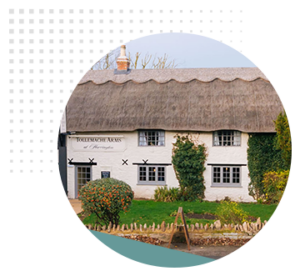 Direct email marketing plays a big part of enticing people to revisit The Tolly according to the pub’s operators Joe Buckley and Flo Pearce.
Through their booking system and by moving bookings for their annual ‘Tollyfest’ onto a digital platform, the team has built up a database of over 7,000 contacts. Joe and Flo know that those who share their email addresses are interested in what’s happening at the pub and they use this to their advantage, sharing updates on menu items, deals, and events taking place at the pub. The Tollemache Arms has made this a success, with their email marketing enjoying a 25% open rate, in comparison to the national average across industries which sits at 21.3%.
They say the key is to not overthink it. Make it simple and have some great imagery, using email marketing as small “we’re still here” reminders.
2. “Digital reporting helps us better manage sales and staff rotas”
Michelle Gilmour, The Old Windmill, Coventry – episode 7
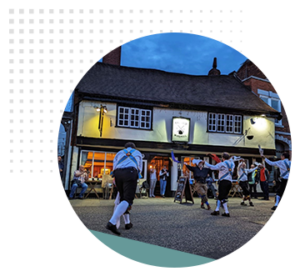 Innovative and easy to access digital reporting enables operators to get an accurate view of how well your pub is performing day to day, which makes planning easier says The Old Windmill’s licensee, Michelle Gilmour. The team at the pub can foresee which days of the week they are going to be most or least busy and base staff rotas on the insight. Having sight of which nights are quietest has also enabled the team to drive business during these times by putting on events, deals or promotions to entice people into the venue.
Having access to reports in real-time has been particularly useful for the team. The ability to check sales data in real-time and on any device (such as Michelle’s mobile) means quick, strategic changes can be made to menu items, based on what is and isn’t working. It also allows Michelle to react effectively – for example, if she sees a sudden spike in sales, she can pop down to the venue to lend a hand or make calls to get more staff in.
3. “Mobile order and pay tech can revolutionise the customer journey”
Ollie Coulombeau, The Turk’s Head, Twickenham, London – episode 8
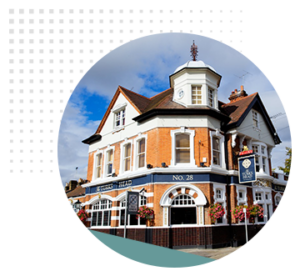 The Turk’s Head adopted iPads as a mobile order and payment option, allowing its staff to take orders from tables. According to the pub’s licensee, Ollie Coulombeau, this has revolutionised the customer journey, as the team are able to serve people more quickly, resulting in reduced wait times for customers and an increase in sales going through the tills.
The pub has also continued to find the use of QR codes valuable for processing orders and payment in other areas of the venue. The pub often hosts regular theatre-style comedy events, so the team has implemented QR codes that enable customers to order drinks to their seats. Not only does this make the experience seamless for customers, but it also helps the bar staff manage orders easily and reduces queues.
4. “The right back of house tech should give you real-time updates”
Keris De Villiers, The Pig & Whistle, Wandsworth, London – episode 9
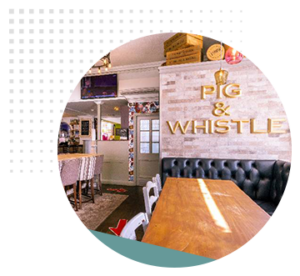 Landlady Keris De Villiers at The Pig & Whistle relies on her back office technology to review sales figures, GPs, and to keep on top of finances which has proven to be invaluable.
Being able to see exactly how all aspects of the business are performing and being able to see the most up to date information has enabled the team at the pub to make effective and strategic business decisions, and at speed. The hospitality sector is ever-evolving, so being able to remain agile and reactive is vital, Keris says and having tech working in the background to analyse sales data helps The Pig & Whistle to continue being as nimble and profitable as possible.
To stream the complete Pioneering Pub People 2023 podcast series, featuring BII Licensee of the Year Award winners and finalists from this year, click here!


Subscribe to get the latest news, product announcements and industry updates
Introducing North Brewing Company

First site, North Bar, opened in 1997

Acknowledged as the first craft beer bar in the UK

The brewery, North Brewing Company, opened in 2015

11 pubs and bars in the north of England and one in Treviso, Italy
“The reason we needed to look for a new technology solution was just due to the mounting challenges that our industry faces at the moment.”Head of Systems & Continuous Improvement, North Brewing Company
The business challenge
Faced with an existing system that was unreliable and failing to meet the requirements of their expanding business, as well as the mounting challenges caused by the ongoing cost-of-living crisis, North Brewing Company sought out a new technology partner to help streamline operations across their collection of taprooms and bars.
The North Brewing team knew they needed an established, fit-for-purpose system that already met their requirements without needing to wait for additional functionality to be implemented. The team also wanted a system that would provide them with robust, accurate data that would enable them to quickly and effectively make decisions and respond to trends.
Amidst a difficult trading environment, the team also wanted greater control over their stock management, helping to both save their teams time, as well as reduce costs and protect their GPs at each site.
Dedicated support was also key for the team at North Brewing, with their incumbent system frequently experiencing crashes and no available support to help, leading to trading downtime and sub-optimal experiences for their customers.


“If there are any operators out there that think they might not be big enough to switch to Zonal, I would say don’t be put off by the big names. Our experience was that Zonal tailored a package that was built just for us, was really specific to us, and was designed around our needs and our drive for great hospitality.”Head of Systems & Continuous Improvement, North Brewing Company
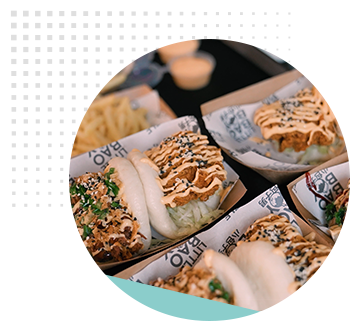
The solution
Aware of Zonal’s pedigree in the sector, the North Brewing team worked closely with the Zonal team to put together a package of connected solutions that would elevate their operations and deliver outstanding guest experiences across the business. Zonal’s extensive experience with multi-site estate rollouts meant that upgrading their system was a smooth process, with our dedicated onboarding teams supporting every step of the way, including on-site support on go-live day, resulting in minimal disruption to trading and a smooth transition for staff. The North Brewing team also benefit from unlimited ongoing access to Zonal’s industry-leading, UK-based support, meaning our team are always on hand to keep their sites up and running when needed.
By implementing a range of fully-integrated Zonal solutions, the team have also been able to streamline their operational processes and the way they serve their guests. Zonal’s handheld iServe ordering devices enable North Brewing’s teams to easily take guests’ orders at the tableside and send them through to the bar without the need for any re-keying; and their inventory management has been transformed with more efficient and accurate stock control facilitated by Zonal’s Mobile Stocks solution – providing significant time savings, as well as cutting down on paper usage.
Zonal’s ecosystem of technology also provides the team with centralised, real-time data and reporting, enabling North Brewing to quickly and easily analyse trends from across the business, resulting in more informed decision making to help drive the business forwards.
Since implementing Zonal’s technology across their estate, North Brewing have benefitted from:
- An established, fit-for-purpose enterprise EPoS solution, enabling greater control at both head office and site level
- Robust, feature-rich stock management solution included as standard – no extra costs or hidden functionality
- Handheld ordering devices for staff with no re-keying required, speeding up service times and reducing mistakes
- Mobile Stock management solution, fully integrated with the EPoS stock solution, eliminating the need for printed count sheets and manual count entries
- Centralised, real-time reporting, enabling North Brewing to better track and act upon trends from across the business
- Full integrations to Airship & Toggle, enabling them to track customer loyalty and drive additional revenue
“The customer support from Zonal has been fantastic, not only did we have everyone on-hand on the day, but after the installations we’ve been able to get in touch with people from head office. The helpline is so useful.”Stacey Godward, General Manager: North Taproom – Sovereign Street, North Brewing Company
Results






Featured solutions




Subscribe to get the latest news, product announcements and industry updates
Introducing The Provenance Collection

Founded in 2010

9 distinctive venues across North Yorkshire

Ranging from village pubs and inns to 25-room boutique hotels and private shooting lodges
Emphasis on locally sourced, fresh produce
“We wanted something user-friendly with a good support network and ultimately the ability to manage remotely. With the head-office function, we can set pricing, analyse sales data and manage everything back-of-house centrally.”Chris Cartledge, Former Head of Operations, Provenance Collection
The business challenge
With a commitment to excellence in customer service, accessibility, and the delivery of exceptional value to their guests and community, the Provenance team needed a solution that could replace three separate systems to manage their accommodation operating across all nine sites.
It became evident that they required a versatile and robust PMS that could meet their needs, including the provision of reliable data, the standardisation of pricing structures across all nine of their diverse venues, the centralisation of essential data, and the simplification of user management processes.
A strong support element was also a must for the Provenance team, as was the ability to manage the system remotely, enabling their head office team to manage pricing, access detailed reporting on sales performance and control back-of-house operations.
By embracing Zonal’s High-Level Property Management System, Provenance aimed to streamline their operations, ensuring that they could consistently deliver top-tier experiences to their guests.
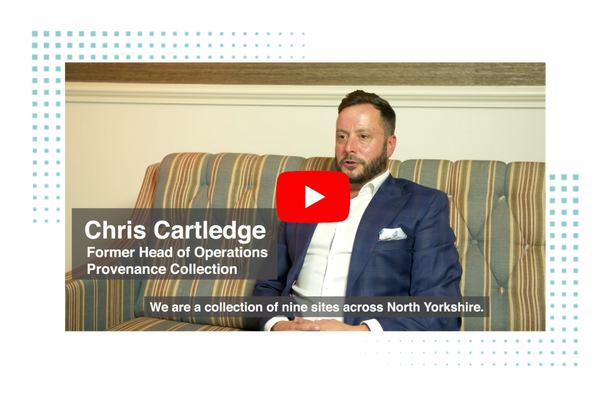
“Having a fully integrated tech stack is really useful, it helps us share data across different departments within the business, but more importantly, allows us to move that data towards marketing and attracting new guests.”Chris Cartledge, Former Head of Operations, Provenance Collection
The solution
As an established Zonal EPoS customer, the adoption of Zonal’s PMS solution was a straightforward and seamless process for the Provenance Collection, with support from the HLS team throughout the transition resulting in a smooth rollout with no issues for their front-of-house staff. The integration of Zonal’s PMS with their existing Zonal EPoS system and Airship CRM allowed them to easily capture and utilise data centrally, enabling them to deliver more effective, targeted marketing to their guests.
This transition enabled them to overcome the complexities that can arise with multiple and diverse venues to manage, providing them with a unified and efficient approach to property management, pricing, and user administration across their expanding estate.
With their integrated suite of solutions now in place, the Provenance team has benefitted from centralised reporting across the entire business, enabling them to forecast, budget, and identify data trends for smarter decision making.
The Provenance Collection now benefit from:
- A powerful integrated EPoS system with robust reporting functionality utilised across their entire estate
- A fully integrated PMS with reporting used to manage accommodation across nine venues
- A scalable and user-friendly solution
- Detailed reporting and analytics that can be shared easily with key stakeholders within the business
- A fully integrated hospitality CRM that enables greater usage of customer data to drive more effective digital marketing campaigns. Data is collated centrally from EPoS, PMS, Bookings, and even guest WiFi.
- Full access to dedicated support, available 7 days a week, 365 days a year, 8am – 12pm
“The ability to share data across all of our sites and use it centrally was important to us. We have the full suite of Zonal products, we have been users of Zonal’s EPoS system and Airship for several years now, implementing HLS has really tied the whole piece together.”Chris Cartledge, Former Head of Operations, Provenance Collection
Results


Featured solutions



Subscribe to get the latest news, product announcements and industry updates
Assessment 5:
Improving the guest experience and driving loyalty
Zonal’s Improving the Guest Experience and Driving Loyalty self-assessment
Answer a few short questions to identify how well your tech helps you to deliver incredible guest experiences that keep your customers coming back time and time again. At the end you’ll get personalised guidance which explains how you can leverage your customer data to offer personalised customer experiences.
Take our other self-assessments to see if you score just as well across other key areas.
1: Reducing administration tasks

Find out if your tech helps you remove manual tasks that sap time and resources, and enables you to improve speed and…
2: Driving revenue
Let’s focus on your bottom line, and examine how your tech helps you to drive additional revenue. In this quick but…
Assessment 4:
Maximising margins

Zonal’s Maximising Margins self-assessment
Answer a few short questions to identify whether your tech helps you squeeze every percentage of profit from your operations. At the end you’ll get personalised guidance to help you maximise your margins.
Take our other self-assessments to see if you score just as well across other key areas.
1: Reducing administration tasks
Find out if your tech helps you remove manual tasks that sap time and resources, and enables you to improve speed and…
2: Driving revenue
Let’s focus on your bottom line, and examine how your tech helps you to drive additional revenue. In this quick but…
Assessment 3:
Speeding up service

Zonal’s Speeding Up Service self-assessment
Answer a few short questions to identify whether your tech helps you deliver the consistently high levels of service that your customers expect. At the end you’ll get personalised guidance to help you turn more tables and generate maximum yield.
Take our other self-assessments to see if you score just as well across other key areas.
1: Reducing administration tasks
Find out if your tech helps you remove manual tasks that sap time and resources, and enables you to improve speed and…
2: Driving revenue
Let’s focus on your bottom line, and examine how your tech helps you to drive additional revenue. In this quick but…
Assessment 2:
Driving revenue
Zonal’s Driving Revenue self-assessment
Answer a few short questions to identify whether your tech helps you increase upsell opportunities and open up new revenue streams. At the end you’ll get personalised guidance to help you boost customer spend, both in-venue and at their homes.
Take our other self-assessments to see if you score just as well across other key areas.
1: Reducing administration tasks
Find out if your tech helps you remove manual tasks that sap time and resources, and enables you to improve speed and…
3: Speeding up service
Fast service is a key factor in improving the customer experience and turning more tables. Our third 5-minute…
Assessment 1:
Reducing administration tasks
Zonal’s Reducing Administration Tasks self-assessment
Answer a few short questions to identify whether your hospitality tech helps you combat any admin time-sinks or manual tasks that could be automated. At the end you’ll get personalised guidance to help you maximise your staffing resources and remove the manual grind.
Take our other self-assessments to see if you score just as well across other key areas.
2: Driving revenue
Let’s focus on your bottom line, and examine how your tech helps you to drive additional revenue. In this quick but…
3: Speeding up service
Fast service is a key factor in improving the customer experience and turning more tables. Our third 5-minute…
Getting ready for Christmas pre-ordering with Zonal Bookings
Even though it’s still a few months out, we know that for most hospitality businesses, planning for the busy Christmas season kicks off now. Whilst a busy festive period is something we’re all looking forward to, managing the increased demand can bring with it a number of operational challenges.
Pre-ordering functionality, facilitated through your reservation system, can be an effective way to reduce any admin headaches that can arise when managing orders for your festive bookings. If you’re interested in utilising pre-ordering functionality to help you manage your Christmas bookings, or if you need a quick refresher on how to get everything set up, we’ve put together a quick guide on setting up pre-ordering using Zonal Bookings to help you get off to the best start.
1a. In Events Admin create your Occasion and Menu as far in advance as possible. This way you will be able to take bookings early to maximise capacity without the pressure to finalise the Christmas Pre-Order menu. Ensure the Events Menu is assigned to the Occasion you wish to use.
1b. Create a Booking Rule for Pre-Order. If you want to take deposits or credit guarantees for these bookings, add that to the same booking rule. It is recommended that the rule is set up to trigger on the Menu.
Steps 2 & 3a can be ignored if using existing products.
2. Once the Christmas Menu (Products & Suppliers) has been confirmed and no further changes are going to be made, build and price the products in Aztec. Ensure products are added to the POS and aren’t out of stock. Hidden panels can be used to prevent users from selling these items outside of the Christmas period.
Ensure the Aztec into iOrder overnight sync has completed prior to starting this next step
3a. Now, you’ll need to configure the products in iOrder. This can be completed in Product Manager, or whilst building the menu within Menu Manager.
3b. Build the menu in iOrder Menu Manager by adding the configured products. Ensure that the menu has:
- An availability profile assigned. The parameters for the availability profile can be shortened in Events Admin, so it is recommended that start date is set to the day the menu is created to allow for testing.
- Ensure ‘Pre-order’ is selected in Menu Information under Platform
- The menu must set to ‘Live’
- It is important that the Site(s) & Sales Area(s) ‘Can Place Order’ & ‘Can Browse Menu’. This is found in Site Manager > META > Ordering.
4. Test your Pre-Order Menu prior to opening it for guest selection. Here are the steps to follow for testing:
- Create a duplicate Menu within Events Admin that matches your intended Christmas Pre-order Menu.
- Assign the iOrder Menu you have finalised to the Test Events Menu
- Link the Test Menu to the Christmas Occasion (or Occasion being used for the Pre-Order Christmas Menu).
- Create a booking rule to require a pre-order on your Test Events Menu and set the due date to 1 day.
- Change the Menu to Open for Pre-orders.
- Create a Christmas booking via Events Host or your Booking Widget, selecting the Occasion and Test Events Menu. Check that your booking requirement states you need to place a pre-order as you go through the booking.
- Open the Guest Portal for your booking and check that you can view the menu, then select your menu choices and complete order.
- Go back to Events Host and check the pre-order is now visible (in Chef Reports, Bookings Requirements or Booking History).
- Move the test booking to a date within the next 48 hours.
- On the day of the test booking ensure the pre-order has been sent to Aztec. This can be checked in Events Host but should also be confirmed by checking on site POS (pre-orders are stored in delayed ordering).
5. If everything was successful with your tests – you are ready to go live! When you want your guests to starting pre-ordering, link to your live iOrder menu in Events Menu Pre-Order. We do not advise using a schedule to trigger opening a pre-order, use the “Open for Pre-orders” link instead.
When you click ‘Open for Pre-Orders’, any confirmed bookings will then be sent a ‘Pre-Order Open’ email to prompt them to complete their pre-order. If you have any provisional bookings, they won’t receive the email but they will be able to make their pre-order in the portal.
This email should be configured to push guests to the Guest Portal, however, please remember that this email template isn’t exclusively for Christmas bookings. The Menu Email Template can be used to personalise emails by menu and can be shown in the confirmation emails by use of the dynamic fields. You can always use the Chat function to remind your guests of any outstanding deposits and pre-orders.
Lastly, please note:
- All Email Templates are generic. The Menu Email Template feature can be used to personalise emails by menu and can be shown in the confirmation emails by use of dynamic fields.
- Another way emails can be triggered to the customer and prompt them to complete their pre-order is “Reminder emails” for deposits and pre-orders to encourage the user to enter the Guest Portal.
- When errors occur, it is recommended the Menu is previewed within the Menu Manager in iOrder – this helps to ensure products are configured and priced correctly on Aztec. Quite often menu errors are down to products that are not configured on the POS or priced correctly.
- Remember to delete your test menu or remove all channels so it doesn’t show in house or to customers.
- Your menus must be finalised and checked in iOrder before you open for pre-order. Any changes made after that will not pull down to your guests!
If you have any questions on the above, or about any of your other Zonal technology, please do get in touch with your Account Manager, or visit the Zonal Product Portal. Don’t have a login? Request one today.
If you’d like to find out more about Zonal Bookings, click here.